Install
Download
To download Hamster for Windows, go to this link and get the latest version.
Installation
To install Hamster, open the MSI package and follow the installation wizard, just like any other app.
If you encounter a warning during the download, please check your browser's download settings.
By default, Hamster will be installed in the following path: C:\Users\<user_name>\AppData\Local\Programs\QAInsights\Hamster\.
Launching Hamster
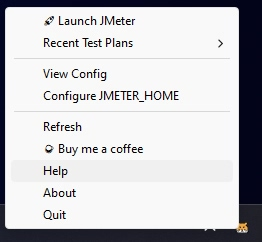
After a successful installation, you can launch Hamster by searching for it in the Start menu. Once launched, you will see the Hamster icon in the Windows status bar.